Showing posts with label video. Show all posts

Monday, September 26, 2016

Streaming Other HD Video Sites on the Raspberry PI


For those that are interested, this will allow you to stream internet shows like The Daily Show on your Raspberry Pi in HD with no lag.

A week or so ago I posted a hack which allowed people to stream youtube videos in the browser here. Unfortunately, this same method didnt work out of the box for some other video sites. They would stream a couple seconds then just end (I found this to happen with the daily show).


I now have a fix for that and have a script called youtube-safe, which can stream (high-quality with no lag on a decent internet connection) any video site that works with youtube-dl.

If you already have the Youtube scripts in my PiAUISuite installed, you can just update, otherwise you have to go through the install script and select which parts you want (this one being under youtube).

Install Instructions


sudo apt-get install git-core
git clone git://github.com/StevenHickson/PiAUISuite.git
cd PiAUISuite/Install/
./InstallAUISuite.sh

**NOTE, this will ask you if you want to install a lot of different scripts because it is a SUITE. You only have to pick the ones you want to use. If you only want to use the youtube scripts, press n on any other question except for the dependencies and youtube.

Update Instructions 

cd PiAUISuite
git pull
cd Install
sudo ./UpdateAUISuite.sh


Once that is done, you can watch the daily show in 1080p like so:
youtube-safe "http://www.thedailyshow.com/full-episodes/"

Even better, if you have voicecommand installed on your system, add the following line to the bottom of your config file for it to play the newest daily show with your voice:
~Daily Show==youtube-safe "http://www.thedailyshow.com/full-episodes/"

Ill work on making a browser plugin for this as well.

Consider donating to further my tinkering


Places you can find me
Read More..

Friday, September 23, 2016

Beyond Short Snippets Deep Networks for Video Classification


Convolutional Neural Networks (CNNs) have recently shown rapid progress in advancing the state of the art of detecting and classifying objects in static images, automatically learning complex features in pictures without the need for manually annotated features. But what if one wanted not only to identify objects in static images, but also analyze what a video is about? After all, a video isn’t much more than a string of static images linked together in time.

As it turns out, video analysis provides even more information to the object detection and recognition task performed by CNN’s by adding a temporal component through which motion and other information can be also be used to improve classification. However, analyzing entire videos is challenging from a modeling perspective because one must model variable length videos with a fixed number of parameters. Not to mention that modeling variable length videos is computationally very intensive.

In Beyond Short Snippets: Deep Networks for Video Classification, to be presented at the 2015 Computer Vision and Pattern Recognition conference (CVPR 2015), we1 evaluated two approaches - feature pooling networks and recurrent neural networks (RNNs) - capable of modeling variable length videos with a fixed number of parameters while maintaining a low computational footprint. In doing so, we were able to not only show that learning a high level global description of the video’s temporal evolution is very important for accurate video classification, but that our best networks exhibited significant performance improvements over previously published results on the Sports 1 million dataset (Sports-1M).

In previous work, we employed 3D-convolutions (meaning convolutions over time and space) over short video clips - typically just a few seconds - to learn motion features from raw frames implicitly and then aggregate predictions at the video level. For purposes of video classification, the low level motion features were only marginally outperforming models in which no motion was modeled.

To understand why, consider the following two images which are very similar visually but obtain drastically different scores from a CNN model trained on static images:
Slight differences in object poses/context can change the predicted class/confidence of CNNs trained on static images.
Since each individual video frame forms only a small part of the video’s story, static frames and short video snippets (2-3 secs) use incomplete information and could easily confuse subtle fine-grained distinctions between classes (e.g: Tae Kwon Do vs. Systema) or use portions of the video irrelevant to the action of interest.

To get around this frame-by-frame confusion, we used feature pooling networks that independently process each frame and then pool/aggregate the frame-level features over the entire video at various stages. Another approach we took was to utilize an RNN (derived from Long Short Term Memory units) instead of feature pooling, allowing the network itself to decide which parts of the video are important for classification. By sharing parameters through time, both feature pooling and RNN architectures are able to maintain a constant number of parameters while capturing a global description of the video’s temporal evolution.

In order to feed the two aggregation approaches, we compute an image “pixel-based” CNN model, based on the raw pixels in the frames of a video. We processed videos for the “pixel-based” CNNs at one frame per second to reduce computational complexity. Of course, at this frame rate implicit motion information is lost.

To compensate, we incorporate explicit motion information in the form of optical flow - the apparent motion of objects across a cameras viewfinder due to the motion of the objects or the motion of the camera. We compute optical flow images over adjacent frames to learn an additional “optical flow” CNN model.
Left: Image used for the pixel-based CNN; Right: Dense optical flow image used for optical flow CNN
The pixel-based and optical flow based CNN model outputs are provided as inputs to both the RNN and pooling approaches described earlier. These two approaches then separately aggregate the frame-level predictions from each CNN model input, and average the results. This allows our video-level prediction to take advantage of both image information and motion information to accurately label videos of similar activities even when the visual content of those videos varies greatly.
Badminton (top 25 videos according to the max-pooling model). Our methods accurately label all 25 videos as badminton despite the variety of scenes in the various videos because they use the entire video’s context for prediction.
We conclude by observing that although very different in concept, the max-pooling and the recurrent neural network methods perform similarly when using both images and optical flow. Currently, these two architectures are the top performers on the Sports-1M dataset. The main difference between the two was that the RNN approach was more robust when using optical flow alone on this dataset. Check out a short video showing some example outputs from the deep convolutional networks presented in our paper.


1 Research carried out in collaboration with University of Maryland, College Park PhD student Joe Yue-Hei Ng and University of Texas at Austin PhD student Matthew Hausknecht, as part of a Google Software Engineering Internship?

Read More..

Friday, September 16, 2016

Fast download youtube videos only video tutorial


watch this video the you can easily download youtube videos without any problems...

Read More..

Monday, February 8, 2016

Raspberry Pi Automatic Video Looper


Download the image here:
https://onedrive.live.com/redir?resid=e0f17bd2b1ffe81!411&authkey=!AGW37ozZuaeyjDw&ithint=file%2czip

MIRROR: https://mega.co.nz/#!JBcDxLhQ!z41lixcpCS0-zvF2X9SkX-T98Gj5I4m3QIFjXKiZ5p4

Recently I helped out with an Architecture exhibition where they needed 8 projectors looping videos all at the same time. Deciding they didnt want to pay for 8 computers and pay for the electricity for 8 computers, they contacted me to see if I could help (Pictures to come soon!). They got 8 Raspberry Pis, which together cost less than one PC and use less an energy than one PC. Thats over 16 times the cost savings and energy savings.

I found a link that did this here. However, it has a couple big issues. It only supports certain file types, doesnt allow spaces in the files and a couple of other things, the escape key stops the whole loop, and their is a longer delay than I want. It also doesnt have the newest version of omxplayer, which plays subtitles and has other new fixes.

So I started creating my own and my version fixes these problems. So I now have decided to publish my image here.

How to set up the looper

  1. Copy this image to an SD card following these directions
  2. Put your video files in the /home/pi/videos directory
  3. Plug it in

Features

  • Supports all raspberry pi video types (mp4,avi,mkv,mp3,mov,mpg,flv,m4v)
  • Supports subtitles (just put the srt file in the same directory as the videos)
  • Reduces time between videos
  • Allows spaces and special characters in the filename
  • Allows pausing and skipping
  • Full screen with a black background and no flicker
  • SSH automatically enabled with user:pi and password:raspberry
  • Allows easy video conversion using ffmpeg (ffmpeg INFILE -sameq OUTFILE)
  • Has a default of HDMI audio output with one quick file change (replace -o hdmi with -o local in startvideos.sh).
  • Can support external HDDs and other directories easily with one quick file change (Change FILES=/home/pi/videos/ to FILES=/YOUR DIRECTORY/ in startvideos.sh)

Source code

The source code can be found on github here. There are a couple main files listed below:
startvideos.sh
startfullscreen.sh
videoloop

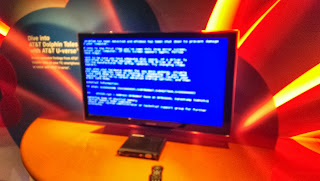
This is perfect if you are working on a museum or school exhibit. Dont spend a lot of money and energy on a PC running windows and have problems like below (courtesy of the Atlanta Aquarium).

If you are a museum or other educationally based program and need help, you can contact me by e-mail at help@stevenhickson.com

Consider donating to further my tinkering since I do all this and help people out for free.

Places you can find me
Read More..

Saturday, February 6, 2016

RPi Video Looper 2 0

I have a brand new version of the Raspberry Pi Videolooper that solves a lot of the common issues Im emailed about. Hopefully this solves problems for a lot of you. You can download the new image here:

https://onedrive.live.com/redir?resid=e0f17bd2b1ffe81!411&authkey=!AGW37ozZuaeyjDw&ithint=file%2czip

MIRROR: https://mega.co.nz/#!JBcDxLhQ!z41lixcpCS0-zvF2X9SkX-T98Gj5I4m3QIFjXKiZ5p4


For help you can post on the Raspberry Pi subreddit (probably the best way to get fast help)

How to set up the looper

  1. Copy the above image to an SD card following these directions
  2. If you want to use USB, change usb=0 to usb=1 in looperconfig.txt on the SD card (It is in the boot partition which can be read by Windows and Mac).
  3. If you want to disable the looping autostart to make copying files easier, change autostart=1 to autostart=0 in looperconfig.txt
  4. If you arent using a USB (NTFS) put your video files in the /home/pi/videos directory with SFTP or by turning autostart off. Otherwise, put your video files in a directory named videos on the root directory of your USB.
  5. Set your config options and plug it in!

Features

  • NEW: Has a config file in the boot directory (looperconfig.txt)
  • NEW: Has a autostart flag in the config file (autostart=0,autostart=1)
  • NEW: Has a USB flag in the config file (usb=0,usb=1), just set usb=1, then plug a USB (NTFS) with a videos folder on it and boot.
  • NEW: Updated all packages (no heartbleed vulnerability, new omxplayer version).
  • NEW: Only requires 4GB SD card and has a smaller zipped download file.
  • Supports all raspberry pi video types (mp4,avi,mkv,mp3,mov,mpg,flv,m4v)
  • Supports subtitles (just put the srt file in the same directory as the videos)
  • Reduces time between videos
  • Allows spaces and special characters in the filename
  • Allows pausing and skipping
  • Full screen with a black background and no flicker
  • SSH automatically enabled with user:pi and password:raspberry
  • Allows easy video conversion using ffmpeg (ffmpeg INFILE -sameq OUTFILE)
  • Has a default of HDMI audio output with one quick file change (replace -o hdmi with -o local in startvideos.sh).
  • Can support external HDDs and other directories easily with one quick file change (Change FILES=/home/pi/videos/ to FILES=/YOUR DIRECTORY/ in startvideos.sh)

Source code

The source code can be found on github here. 

This is perfect if you are working on a museum or school exhibit. Dont spend a lot of money and energy on a PC running windows and have problems like below (courtesy of the Atlanta Aquarium)!

If you are a museum or other educationally based program and need help, you can post on the Raspberry Pi subreddit (probably the best way to get fast help) or contact me by e-mail at help@stevenhickson.com

Consider donating to further my tinkering since I do all this and help people out for free.


Places you can find me
Read More..

Tuesday, July 8, 2014

What is the best video camera for shooting computer tutorials

I want to make a video tutorial of me doing some stuff with software.


This is for my colleagues, I am showing them how to do a file format conversion.


What would be the best (value for money) digital video camera for this purpose?


I have checked out the stuff from ebay but would never make a purchase without consulting yahoo answers.What is the best video camera for shooting computer tutorials?
Well, if that is the case then I wouldnt suggest a camera for you at all but rather a program and a microphone. Let me explain, there are freeware programs out there but Im not sure on what website for sure, first try downloads.com , but they record the output of your video card and turn it into a file that you could edit later. Whatever you do on the screen would be recorded. Then you could add a sound of your voice into the video saying whatever it is that you are doing. If you used a camera to record the computer monitor then it would turn out to be bad quality and be more expense then it is worth.
Read More..
 
Copyright 2009 Information Blog
Powered By Blogger